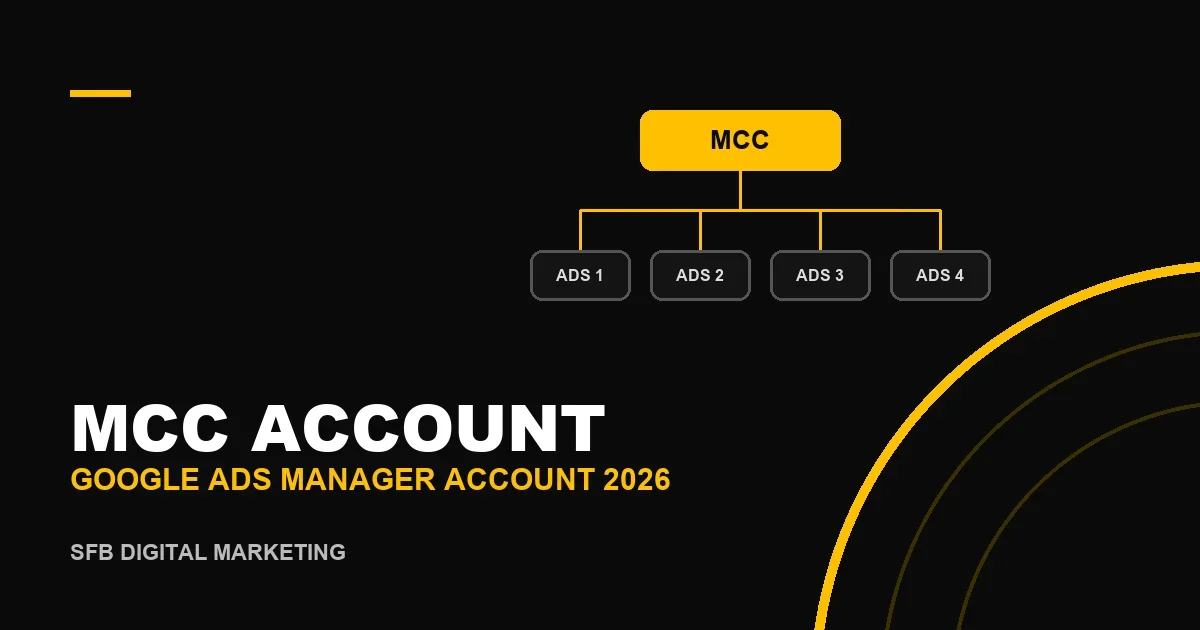
In short: an MCC account (My Client Center) is the old name for a Google Ads manager account: a free umbrella account that lets you see and manage many Google Ads accounts from one login, without signing in and out. It does not run ads itself. You create it as a new account (it is not an upgrade of an existing one), then link client accounts by their 10-digit Customer ID, and the client accepts the request. A manager account can hold up to 85,000 non-manager accounts in total, but the number of active accounts depends on spend: 50 when the highest monthly spend of the last 12 months is under $10,000, and 2,500 between $10,000 and $500,000.
Written and reviewed by Shay Cohen, CEO and founder of SFB, whose agency runs its client work through a Google Ads manager account. Limits and steps were checked against the Google Ads Help Center and the Google Ads developer documentation on 23.09.2026.
What is an MCC account?
MCC stands for My Client Center, the name Google originally gave the tool. Google now officially calls it a Google Ads manager account, but most advertisers, agencies and job ads still say "MCC", so both names describe exactly the same thing: a top-level account with individual Google Ads accounts linked underneath it.
A manager account has no campaigns, keywords or ads of its own. Its job is access and oversight: one login to every linked account, reports across accounts, shared lists and scripts, user permissions and, for eligible advertisers, one consolidated invoice. Think of it as the building's front desk, not an apartment.
Manager account vs. a regular Google Ads account
| Question | Regular Google Ads account | Manager account (MCC) |
|---|---|---|
| Runs campaigns and ads? | Yes, this is where campaigns live | No, it manages the accounts that run them |
| Has a payment method? | Yes, each account is billed separately | Not for ads; it can hold consolidated billing for eligible accounts |
| Who is it for? | A single business advertising for itself | Agencies, freelancers and businesses with 2+ accounts |
| How do you get one? | Create it in Google Ads | Create a separate new account; a regular account cannot be converted |
| Cost | You pay for clicks and impressions | Free |
| Access for other people | Users are added one account at a time | Users added once get access to every linked account |
Who needs a manager account?
- Advertising agencies and PPC freelancers managing accounts for several clients. This is the main use case, and in practice clients expect it: linking to your MCC is the cleanest way to receive access.
- Businesses with several accounts, for example one per brand, country or currency. An account has one currency and one time zone that cannot be changed, so international businesses often end up with several.
- Anyone approaching the 20-account ceiling per email. Google allows up to 20 Google Ads accounts, manager accounts included, to be associated with one email address, and recommends a manager account beyond that.
If you only run one account for your own business, you do not need a manager account. It starts paying off from the second account.
How to create an MCC account, step by step
Creating a manager account is free and takes a few minutes. Google's official flow:
- Go to the Google Ads manager accounts page and select Go to Manager Accounts.
- Sign in with the email you want to use. A business email the agency controls is better than a personal one, because the login outlives any single employee.
- Name the manager account. Google no longer accepts URLs in account names, so use the business name.
- Choose how you will use it: to manage your own accounts, or to manage other people's accounts (agency use).
- Select the country and the time zone. The time zone cannot be changed later, and it sets the reporting and billing day.
- Choose the currency. It is permanent too, so pick the currency most of your reporting will use.
- Select Explore your account. You land in an empty manager account, ready to link or create accounts.
You can also create a sub-manager account from inside an existing manager account (Accounts, then Sub-account settings, then the plus button and "Create new manager account"), which is how larger agencies split work by team or client group.
How to link an existing Google Ads account to your MCC
- Sign in to the manager account and open Accounts, then Sub-account settings.
- Click the blue plus button and choose Link existing account.
- Enter the client's 10-digit Customer ID (the number in the format 123-456-7890 at the top of their Google Ads screen). To link several accounts, enter one ID per line.
- Send the request. An admin of the client account receives it by email and in their Google Ads notifications, and has to accept it before you get access.
Two practical notes: you can have at most 20 pending invitations at a time, so clean up requests clients never answered; and if the client has never logged into their own account, ask them to do it first, otherwise nobody can accept the link.
Creating a new client account from the MCC
For a new client with no account yet, choose Create new account instead of linking. It is faster, but think about ownership first (see below): an account created under your MCC should still be set up so the client can own it and take it with them.
Access levels and account ownership
Google Ads has five access levels, and the same levels apply when you invite people to a manager account, which then gives them that access across the linked accounts:
| Access level | What the user can do | Typical role |
|---|---|---|
| Admin | Everything, including managing users, access and account links | Agency owner, account lead |
| Standard | Edit campaigns and create conversions, but not manage users | Campaign manager |
| Read-only | View campaigns and billing data and run reports | Client stakeholder, analyst |
| Billing | Manage payment methods and billing details | Finance |
| Email-only | Receive notification emails and reports | Anyone who only needs the reports |
Ownership is a separate setting on the link between a manager account and a client account. A manager with ownership can, through its admins, change user access, manager links and product links in the client account. It also matters for money: a request for monthly invoicing or a credit line requires ownership to be active. Without ownership, the manager still manages campaigns but cannot control who else has access.
Who should own the client account?
| Model | How it works | Upside | Risk |
|---|---|---|---|
| Client owns, agency links | The client creates the account and pays Google directly; the agency links its MCC | Clean handover, the client keeps its data and history if it changes agency | Slower onboarding, the client must accept links and handle billing |
| Agency creates, client is admin | The agency creates the account from its MCC and adds the client as an admin user | Fast setup, the agency controls the structure from day one | If the client is not added as admin, history can be held hostage on offboarding |
| Agency pays (consolidated billing) | The agency's MCC is the paying manager and bills the client internally | One invoice, the agency controls spend | Under Google's advertiser transparency rules the agency may appear as the payer |
At SFB we use the first model by default: the business keeps its own account and payment method, and we manage it through our MCC. It is the most transparent arrangement, and it means the advertising history belongs to the business, not to whoever manages it. The payer point is worth checking against Google's advertiser verification and payer disclosure rules before you choose the third model.
Manager account limits in 2026
| Limit | Value | Source |
|---|---|---|
| Non-manager accounts linked to one manager (active, inactive and canceled) | 85,000 | Google Ads Help |
| Active accounts, highest monthly spend in last 12 months under $10,000 | 50 | Google Ads Help |
| Active accounts, highest monthly spend $10,000 to under $500,000 | 2,500 | Google Ads Help |
| Active accounts, highest monthly spend $500,000 and above | No separate tier (the 85,000 total applies) | Google Ads Help |
| Managers linked directly to one client account | 5 | Google Ads Help and API docs |
| Managers linked directly above a manager account | 1 | Google Ads Help |
| Hierarchy depth | Manager structures up to 5 levels deep (API: 6 levels from top manager to bottom account) | Google Ads Help and API docs |
| Pending link invitations | 20 | Google Ads Help and API docs |
| Google Ads accounts per email address (manager accounts included) | 20 | Google Ads Help |
| Test accounts in one hierarchy | 50 | Google Ads API docs |
| Accounts on one consolidated invoice | 50,000 | Google Ads Help |
The active-account limit is calculated at the top manager account, from the combined monthly spend of all client accounts over the last 12 months. If your limit drops below the number you already have, you keep those accounts, but you cannot link or create new ones until you unlink or cancel enough to get back under it. Canceled accounts do not count toward the active limit.
What you can do from the manager level
- Cross-account reports and dashboards. Compare spend, conversions and cost per result across every client in one table, and spot the account that broke overnight.
- Shared negative keyword lists and placement exclusion lists. Lists created in the manager account appear in the shared library of client accounts, where they are applied. Placement exclusion lists can be applied to selected accounts from Sub-account settings.
- Manager-level scripts. Google Ads scripts run from a manager account can work across client accounts; with
executeInParallela single run processes up to 50 accounts. - Cross-account conversion tracking. Conversion actions can be owned by the manager account and used by its client accounts, which keeps tracking consistent when a business runs several accounts.
- Consolidated billing. Eligible advertisers on monthly invoicing can receive one invoice for many accounts through a "paying manager". Accounts on one invoice must share a currency, and Google notes the feature is not available to media agencies.
- Linking other Google products. When you link Merchant Center, send the request to the ad account itself; linking Google Merchant Center to an agency MCC is a common mistake.
How to structure an MCC for an agency
For a small agency or freelancer, a flat structure is best: one manager account with every client account directly underneath, clear account names (client name plus country or brand), and labels for status and account manager. Sub-manager accounts start to pay off when there are separate teams, or a group of accounts that belongs to one parent client and should be handed over together. Keep the tree shallow; every extra level adds permission complexity, and the depth limit is closer than it looks when clients bring their own manager accounts.
How a client removes an agency (and how an agency hands over)
A client admin can end a manager link at any time from their account's access settings, and the agency can unlink from Sub-account settings in the MCC. Before unlinking, make sure at least one client-side user has Admin access: Google requires every account to have either an admin user or a manager account with ownership. If the agency created the account and nobody at the client is an admin, fix that first, otherwise the client is left without control of its own history.
Common MCC mistakes
- Trying to "convert" an existing ad account. A manager account is always a new account; create it and link the existing one.
- Choosing the wrong time zone or currency. Both are permanent. A wrong choice means creating a new manager account.
- Using a personal email. When that person leaves, the agency's access goes with them. Use a shared business login protected by 2-step verification, and give each team member their own user.
- Leaving former employees and contractors with access. The convenience of one login for every account is also the risk. Review users quarterly.
- Letting link requests pile up. The 20-pending-invitations limit blocks new onboarding until old requests are canceled.
- Skipping the ownership conversation. Decide who owns the account on day one, not on the day the client leaves.
FAQ
What is an MCC account in Google Ads?
It is a Google Ads manager account, formerly called My Client Center. It is a free umbrella account that lets you access, report on and manage multiple Google Ads accounts from a single login. It does not run ads itself.
Is an MCC account free?
Yes. Creating and using a manager account costs nothing. You only pay for the advertising in the linked accounts, exactly as you would without a manager account.
Is MCC the same as a Google Ads manager account?
Yes. MCC is the older name, and Google now uses "manager account" in its interface and help center. People search for both, and they refer to the same product.
Can I turn my existing Google Ads account into an MCC?
No. Google describes the manager account as an entirely new account, not an upgrade. Create a new manager account, ideally with a different or dedicated email, and link your existing account to it.
How many accounts can an MCC manage?
Up to 85,000 non-manager accounts in total. Active accounts are limited by spend: 50 when the highest monthly spend in the last 12 months is under $10,000, and 2,500 between $10,000 and $500,000.
Does the client lose control of its account when it is linked?
No. Linking gives the manager access, but the client's admins keep their access and can remove the link at any time. Users of a client account also cannot see the manager account or other clients linked to it.
How do I sign in to my MCC account?
Sign in at ads.google.com with the email you used to create the manager account, then choose the manager account from the account list. From there you can open any linked account without signing in again.
How many managers can one Google Ads account have?
A client account can be linked directly to up to 5 manager accounts, and it can appear only once in the same manager hierarchy.
Sources and review date
Checked on 23.09.2026 against the Google Ads Help Center: "About Google Ads manager accounts" (umbrella account, not an upgrade, 20 accounts per email), "Create a Google Ads manager account" (steps, permanent time zone, no URLs in account names), "About account limits for manager accounts" (85,000 accounts, active-account tiers by spend, calculation at the top manager), "About manager linking and unlinking errors" (5 managers per client, one manager above a manager, 5 levels, 20 pending invitations, the admin-or-owner requirement), "About access levels in your Google Ads account" (five access levels, ownership and monthly invoicing) and "About consolidated billing" (paying manager, same currency, 50,000 accounts, not available to media agencies); and against the Google Ads API "System limits" page (6 levels, 5 managers, 20 invitations, 50 test accounts) and the Google Ads scripts limits documentation (50 accounts per executeInParallel). The ownership models and structure recommendations reflect how SFB manages client accounts and are not an official Google position. For help setting up an MCC structure or managing the campaigns inside it, see our Google Ads campaign management service.